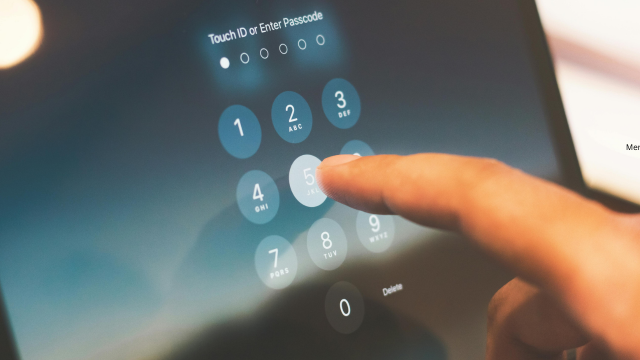


Cyber security is the practice of protecting computers, mobile devices, networks, software, online accounts and digital information from unauthorised access, damage, theft or disruption. It combines technology, policies, processes and human awareness to reduce digital risks.
Its importance has grown considerably in 2026. Businesses now depend on cloud services, artificial intelligence, connected devices, digital payments, remote access and online communication. Individuals also store personal, financial and professional information across numerous devices and platforms.
These developments make everyday activities faster and more convenient, but they also create more opportunities for criminals and other threat actors. A stolen password, malicious email, unpatched device or incorrectly configured cloud account can lead to financial loss, operational disruption or exposure of sensitive information.
Understanding cyber security fundamentals is therefore useful for everyone—not only IT specialists. Employees, students, business owners and ordinary internet users all have a role in protecting information and preventing avoidable incidents.
What Is Cyber Security?
Cyber security refers to the measures used to protect digital systems and information against cyber threats. These measures are designed to prevent attacks, identify suspicious activity, limit damage and restore normal operations after an incident.
The term covers several connected areas, including:
- Protecting devices such as laptops, smartphones and servers
- Securing networks and internet connections
- Controlling access to accounts and information
- Finding and correcting software vulnerabilities
- Detecting malicious or unusual activity
- Responding to data breaches and cyber attacks
- Recovering systems and information after disruption
- Teaching people how to recognise digital risks
Cyber security is sometimes treated as another name for antivirus protection. Antivirus software can be useful, but it represents only one part of a much wider system.
Effective security also depends on secure passwords, multi-factor authentication, software updates, backups, access controls, employee training, monitoring and incident planning. No single product can protect an organisation against every threat.
Cyber security, information security and IT security
These terms overlap, but they are not identical.
Cyber security primarily addresses threats involving digital devices, systems, networks and online services.
Information security is broader. It protects information in any form, including digital records, printed documents and verbal information.
IT security focuses on protecting an organisation’s information technology, such as computers, servers, software and infrastructure.
In practice, organisations often manage these areas together because a weakness in one can affect the others. For example, leaving a printed password beside a computer is an information security failure that can create a cyber security incident.
Cyber Security Fundamentals
The purpose of cyber security is not to guarantee that an attack will never happen. Such a guarantee is unrealistic. Instead, cyber security reduces the likelihood of an incident, limits its possible impact and helps systems recover more quickly.
Several principles form the foundation of this work.
Confidentiality
Confidentiality means ensuring that information can only be accessed by authorised people and systems.
Personal records, business plans, passwords, payment information and medical details should not be visible to anyone who does not have a legitimate reason to access them.
Confidentiality can be supported through:
- Encryption
- Strong authentication
- Access permissions
- Secure storage
- Data-classification rules
- Staff confidentiality procedures
A confidentiality failure occurs when information is exposed, copied or shared without authorisation.
Integrity
Integrity means keeping information accurate, complete and trustworthy.
An attacker may not always try to steal information. They may alter payment details, change customer records, modify software or interfere with business data. Even a small unauthorised change can have serious consequences.
Controls such as access logs, digital signatures, version histories and file-integrity monitoring can help organisations identify inappropriate changes.
Availability
Availability means ensuring that authorised users can access systems and information when needed.
A service may become unavailable because of ransomware, equipment failure, a denial-of-service attack, accidental deletion or poor maintenance. For a hospital, bank, transport provider or online retailer, prolonged downtime can affect far more than productivity.
Backups, resilient infrastructure, recovery plans and alternative communication arrangements all support availability.
Authentication and access control
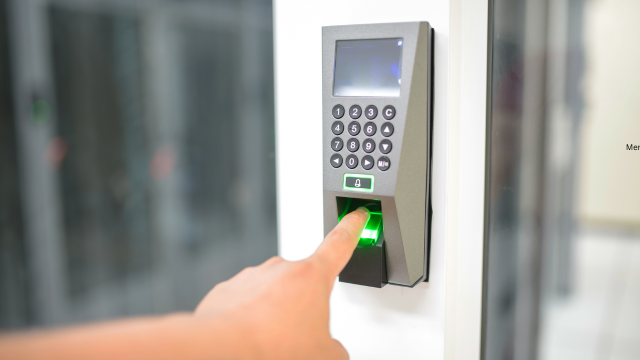
Authentication checks whether a person or system is who they claim to be. Access control then determines what that person or system is allowed to do.
A user may be authorised to read a document without being permitted to delete it. A finance employee may access payment systems, while another employee may only view general company information.
Good access control follows the principle of least privilege. This means giving users only the access they need to perform their work.
Defence in depth
Defence in depth involves using several layers of protection instead of depending on one control.
For example, an account might be protected by:
- A strong password
- Multi-factor authentication
- Login monitoring
- Access restrictions
- Suspicious-activity alerts
- A recovery process
If one layer fails, the remaining layers may still prevent or limit the attack.
Cyber resilience
Cyber resilience is the ability to continue operating during an incident and recover afterwards.
Prevention remains important, but organisations must also prepare for the possibility that an attack will succeed. This requires backups, tested recovery procedures, clear responsibilities and reliable ways to communicate during disruption.
A resilient organisation does not merely ask, “How do we stop every attack?” It also asks, “How will we respond if an important system becomes unavailable tomorrow?”
Why Is Cyber Security Important in 2026?
Cyber security and its importance are closely connected to the way modern life now operates. Digital systems are no longer separate from ordinary business and personal activities. They support communication, education, healthcare, transport, manufacturing, retail, banking and public services.
Several changes make cyber security particularly important in 2026.
More services depend on digital systems
Many organisations can no longer function effectively without email, online payments, customer databases, cloud software and digital communication.
When these systems are disrupted, the result may include:
- Missed sales
- Delayed services
- Interrupted supply chains
- Lost productivity
- Inability to communicate with customers
- Additional recovery costs
- Contractual or regulatory problems
Even a short outage can have significant consequences where customers expect continuous access.
Artificial intelligence is changing cyber risk
Artificial intelligence offers legitimate benefits, including faster analysis, automation and improved threat detection. However, it may also help criminals produce more convincing phishing messages, automate research or identify weaknesses more quickly.
AI-generated messages can contain fewer spelling or grammatical mistakes than traditional scams. Voice and image manipulation may also make impersonation attempts more believable.
This does not mean every AI tool is dangerous. It means familiar warning signs may become less obvious. Users must examine context, requests and communication patterns rather than relying only on poor writing as evidence of a scam.
Cloud services create shared responsibility
Cloud platforms allow organisations to store information and use software without maintaining every system themselves. However, moving information to the cloud does not transfer all security responsibility to the provider.
The organisation still needs to manage:
- User accounts
- Permissions
- Authentication
- Data sharing
- Configuration
- Connected applications
- Staff access
- Backup arrangements
A secure cloud platform can still be exposed through a weak password or an incorrectly shared folder.
Remote and hybrid working continue to expand access
Remote working allows people to connect from homes, shared spaces and different locations. This makes secure access essential.
Risks may arise when employees:
- Use unmanaged personal devices
- Connect through insecure networks
- Share devices with family members
- Store work files locally
- Approve unexpected login requests
- Discuss confidential information in public
- Leave devices unattended
Organisations need clear remote-working policies, secure devices and controlled access rather than assuming office-based protections extend automatically to every location.
Supply chains are increasingly connected
A business may protect its own systems carefully but still depend on software providers, contractors, payment processors and other third parties.
Attackers sometimes target a smaller or less protected supplier to reach a larger organisation. One compromised account or software connection may affect several businesses.
Cyber security assessments should therefore consider who can access data and systems, not just who works directly for the organisation.
Personal information has financial value
Names, addresses, dates of birth, account details and login credentials may be used for fraud, impersonation or targeted scams.
Criminals may combine information from several sources. A small amount of exposed data may appear harmless by itself but become useful when matched with information from social media, previous breaches or public records.
Protecting personal information is therefore important even when it does not include bank details.
Cyber incidents can damage trust
Customers, partners and employees expect organisations to handle information responsibly.
A serious incident may cause people to question whether the organisation is reliable. Rebuilding that confidence can take longer than restoring the affected technology.
Good cyber security supports reputation by showing that the organisation takes reasonable precautions, communicates responsibly and responds effectively when something goes wrong.
How Does Cyber Security Work?
Cyber security work usually follows a continuous cycle rather than a single task. Threats, systems and business needs change, so controls must be reviewed regularly.
A practical security cycle includes five stages.
1. Identify risks and assets
An organisation first needs to understand what it is protecting.
Important assets may include:
- Customer information
- Financial systems
- Intellectual property
- Websites
- Employee records
- Cloud accounts
- Manufacturing equipment
- Communication platforms
- Backups
The organisation then considers what could affect those assets, how likely the event is and what the consequences might be.
Without this step, money may be spent protecting unimportant systems while critical weaknesses remain overlooked.
2. Protect systems and information
Protective controls reduce the likelihood or possible impact of an incident.
Common examples include:
- Multi-factor authentication
- Secure configuration
- Software updates
- Firewalls
- Encryption
- Access controls
- Security training
- Email filtering
- Backups
- Device management
Controls should be proportionate to the level of risk. A small local business may not need the same infrastructure as a major bank, but it still needs reliable protection for accounts, payments and customer information.
3. Detect suspicious activity
Prevention is not always enough. Organisations also need ways to identify unusual events.
Possible warning signs include:
- Repeated failed logins
- Access from unexpected locations
- Unusual data transfers
- New administrator accounts
- Disabled security tools
- Unexpected software installation
- Sudden changes to files
- Large numbers of password-reset requests
Detection may involve automated monitoring, employee reports or specialist security teams.
4. Respond to incidents
When an incident occurs, the organisation needs to contain the problem and make informed decisions.
An incident-response plan should identify:
- Who has authority to make decisions
- Who investigates technical issues
- How affected systems will be isolated
- How staff and customers will be informed
- Which external organisations may need to be contacted
- How evidence will be preserved
- How essential services will continue
Trying to make every decision during the crisis can lead to delay and confusion.
5. Recover and improve
Recovery includes restoring systems, checking that they are safe and returning to normal operations.
The organisation should then examine what happened. The purpose is not simply to blame an employee or supplier. It is to understand why existing controls failed and what should change.
Lessons may include improving account security, changing permissions, updating procedures or providing additional training.
Main Cyber Security Types

Cyber security types are often divided according to the systems or risks being protected. These categories overlap, but each has a different emphasis.
Network security
Network security protects the connections through which devices and systems communicate.
It may involve firewalls, network segmentation, secure wireless settings, monitoring and controls that limit unauthorised connections.
Separating important systems can reduce the damage caused by an attacker. For example, a guest Wi-Fi network should not provide direct access to confidential business systems.
Application security
Application security protects software throughout its design, development, testing and use.
Weaknesses may arise from insecure coding, poor authentication, outdated components or incorrect configuration.
Application security includes reviewing code, testing software, applying updates and limiting what applications are allowed to access.
Cloud security
Cloud security protects information, applications and accounts hosted through cloud providers.
It focuses on identity management, permissions, encryption, configuration and monitoring. Users should also understand what the provider protects and what remains their own responsibility.
Endpoint security
Endpoints include laptops, desktop computers, smartphones, tablets and other devices connected to a network.
Endpoint security may involve:
- Device encryption
- Screen locks
- Malware protection
- Software updates
- Remote-management tools
- Restrictions on unauthorised applications
- The ability to erase lost devices
A secure central system can still be compromised through one poorly protected laptop.
Data security
Data security protects information while it is stored, transferred and used.
Controls may include encryption, access restrictions, secure deletion, classification and policies limiting unnecessary collection.
One useful principle is data minimisation: do not collect or retain information that the organisation does not genuinely need.
Identity and access management
Identity and access management controls who can enter systems and what they can do.
It includes account creation, authentication, role-based permissions and removal of access when someone changes role or leaves the organisation.
Dormant accounts are a common risk because they may remain active without attracting attention.
Mobile security
Mobile security protects smartphones, tablets and mobile applications.
These devices often contain email, saved sessions, contact information and access to business systems. A stolen phone may therefore expose much more than personal photographs.
Operational technology and Internet of Things security
Operational technology controls physical processes, machinery and infrastructure. Internet of Things devices include connected cameras, sensors, appliances and building-management systems.
These devices may be difficult to update or may use default credentials. Because they can interact with the physical world, weak security may lead to operational as well as informational consequences.
Human-centred security
Human-centred security addresses the decisions people make.
Employees can be targeted through phishing, impersonation, false invoices and urgent requests. Training should help people recognise and report these situations without creating a culture of fear.
People are not simply a weakness. A well-informed employee may be the first person to notice an attack.
Common Cyber Security Examples
Cyber security examples help explain how threats appear in everyday situations.
Phishing
Phishing messages attempt to persuade recipients to reveal information, open a harmful attachment, follow a dangerous link or approve a fraudulent action.
A message may pretend to come from a bank, manager, supplier or delivery company. It often creates urgency by claiming that an account will be closed or a payment must be made immediately.
Business email compromise
In a business email compromise attack, a criminal impersonates or takes control of a work email account.
They may request a payment, change supplier bank details or ask for confidential documents. The message can appear convincing because it may use real names and existing conversations.
Independent verification is essential when payment information changes.
Ransomware
Ransomware is malicious software that blocks access to systems or encrypts files. Attackers may demand money and sometimes threaten to publish stolen data.
Backups can support recovery, but they must be protected from the same attack and tested regularly.
Credential attacks
Criminals may try usernames and passwords stolen from previous breaches. This is particularly effective when people reuse the same password across several accounts.
Unique passwords and multi-factor authentication significantly reduce this risk.
Cloud misconfiguration
A cloud folder, database or storage service may accidentally be made publicly accessible. This can expose information without requiring sophisticated hacking.
Regular permission reviews and secure default settings help prevent these mistakes.
Denial-of-service attacks
A denial-of-service attack sends excessive traffic or requests to a service, making it slow or unavailable.
These attacks mainly affect availability rather than stealing information, although they may be combined with other activity.
Insider incidents
An insider incident involves someone with legitimate access. It may be deliberate, but it can also result from carelessness or misunderstanding.
Examples include sending information to the wrong recipient, copying files without permission or falling for a fraudulent request.
What Does Cyber Security Work Involve?
Cyber security work varies significantly between roles and organisations. It may involve technical investigation, policy development, training, risk assessment or communication with senior management.
Common activities include:
- Reviewing system vulnerabilities
- Monitoring alerts
- Investigating suspicious activity
- Managing identity and access
- Testing security controls
- Applying security updates
- Developing policies
- Assessing suppliers
- Responding to incidents
- Conducting staff training
- Supporting audits
- Planning recovery exercises
Some professionals work in security operations centres, monitoring systems for potential threats. Others specialise in cloud security, digital forensics, governance or secure software development.
Common cyber security roles
Security analyst: Reviews alerts, investigates incidents and recommends improvements.
Security engineer: Designs and maintains security technologies and infrastructure.
Incident responder: Helps contain, investigate and recover from cyber incidents.
Cloud security specialist: Protects cloud accounts, services and configurations.
Governance, risk and compliance professional: Connects security controls with organisational policies, legal duties and recognised standards.
Security architect: Designs secure systems and ensures different controls work together.
Penetration tester: Conducts authorised testing to identify weaknesses before criminals exploit them.
Security awareness specialist: Develops training and helps employees understand practical risks.
Cyber security work is therefore not limited to coding. Many roles require strong communication, analysis and business understanding.
Essential Cyber Security Skills
Cyber security skills can be divided into technical, analytical and interpersonal abilities.
Technical understanding
Professionals may need knowledge of:
- Computer networks
- Operating systems
- Cloud platforms
- Identity management
- Security monitoring
- Vulnerability management
- Encryption
- Secure software development
- Incident response
The required depth depends on the role. A governance professional may not need the same programming knowledge as an application-security engineer.
Risk assessment
Cyber security involves deciding which problems require the most attention.
Professionals must consider likelihood, possible impact, existing controls and available resources. A serious vulnerability in an internet-facing payment system normally deserves more urgent attention than a minor issue on an isolated test device.
Problem-solving
Incidents rarely arrive with a clear explanation. Analysts may need to connect several small clues, test different possibilities and work under pressure.
Structured thinking is often more valuable than memorising lists of tools.
Communication
Security professionals communicate with technical teams, managers, customers and employees. They must explain risk clearly without exaggerating it or hiding behind technical language.
A recommendation is more likely to be followed when people understand why it matters and how to apply it.
Attention to detail
A small change in a web address, permission setting or login pattern may reveal a larger problem. Careful observation is therefore important.
However, attention to detail must be combined with an understanding of the wider business. Fixing every minor issue while ignoring critical risks is not effective security.
Continuous learning
Technology and threats change regularly. Cyber security professionals need to update their knowledge through training, practice, professional reading and experience.
Current UK labour-market research also indicates that many employers seek candidates with practical, mid-level experience. Beginners can strengthen their prospects by building foundational knowledge, completing realistic projects and gaining broader IT experience rather than relying on one short qualification alone.
Practical Cyber Security Measures for Individuals

Individuals do not need specialist equipment to improve their security. A small number of consistent habits can prevent many common incidents.
Use unique passwords
Each important account should have a different password. This prevents one stolen password from unlocking several services.
A reputable password manager can create and store long, unique passwords.
Enable multi-factor authentication
Multi-factor authentication requires an additional check alongside the password. This may involve an authentication app, security key, passkey or one-time code.
Authentication apps, security keys and passkeys are generally stronger than relying only on text messages where alternatives are available.
Install updates promptly
Updates often correct security weaknesses. Automatic updating should be enabled where practical for operating systems, browsers, applications and connected devices.
Devices that no longer receive security updates should be replaced or prevented from accessing sensitive systems.
Back up important information
Keep copies of important documents and photographs. At least one backup should be separated from the device so that malware, theft or hardware failure does not affect both copies.
Test occasionally that files can actually be restored.
Check unexpected requests
Be cautious when a message requests money, passwords, security codes or urgent action.
Do not use contact information contained only in the suspicious message. Verify the request through a known number, official application or separate conversation.
Protect devices
Use screen locks, encryption and device-tracking features. Do not leave unlocked devices unattended.
Avoid installing applications from unknown sources, and review the permissions requested by apps.
Practical Cyber Security Measures for Organisations
Organisations need a coordinated approach rather than relying entirely on individual employees.
Make cyber security a leadership responsibility
Cyber risk affects finance, operations, reputation and legal compliance. Senior leaders should understand the organisation’s most important systems, major dependencies and recovery arrangements.
Cyber security should not be left entirely to the IT department.
Apply secure configurations
Default settings are not always appropriate. Remove unused accounts, disable unnecessary services and restrict administrative privileges.
Secure configuration reduces the number of opportunities available to an attacker.
Manage vulnerabilities and updates
Organisations should maintain an inventory of devices and software so they know what needs updating.
Critical security patches should be prioritised, particularly for systems accessible from the internet.
Use multi-factor authentication widely
Multi-factor authentication should protect email, cloud platforms, administrative accounts and other important services.
Email is especially important because it is often used to reset passwords for other accounts.
Maintain protected backups
Backups should be regular, monitored and separated from normal systems. Recovery procedures must be tested rather than assumed to work.
The organisation should also understand how long restoration may take.
Train staff regularly
Training should cover realistic situations, including phishing, payment fraud, password security and incident reporting.
Short, repeated training is often more useful than a long annual presentation that employees quickly forget.
Create an incident-response plan
The plan should define responsibilities, communication routes, technical actions and decision-making authority.
Run exercises using realistic scenarios. A plan that has never been tested may contain gaps that only become visible during an emergency.
Review suppliers
Ask what information suppliers access, how they protect it and how incidents will be reported.
Access should be removed when a contract ends or when it is no longer necessary.
Consider Cyber Essentials
For UK organisations, Cyber Essentials provides a recognised starting point based on five technical control areas. It can help businesses build protection against common internet-based threats and demonstrate that basic safeguards are in place.
Certification is not a guarantee against every attack, but it can support a more disciplined approach to essential controls.
Cyber Security Priorities for 2026
The changing threat environment does not make established protections irrelevant. In fact, rapid technological development makes the basics even more important.
Key priorities for 2026 include:
Securing AI use
Organisations should understand which AI tools employees use, what information is entered into them and how generated outputs are checked.
Confidential or personal information should not be shared with unapproved systems.
Strengthening identity security
As more services move online, accounts become a primary target. Organisations should reduce password reuse, adopt stronger authentication and monitor privileged accounts.
Improving supply-chain visibility
Businesses need to know which suppliers connect to systems, process sensitive data or provide critical services.
Contracts should set clear security and incident-reporting expectations.
Preparing for disruption
Organisations should identify their essential services and determine how long they can operate without key technology.
Recovery exercises should involve decision-makers, not only technical staff.
Building a reporting culture
Employees should feel able to report suspicious messages and mistakes quickly. Delayed reporting often increases damage.
A constructive response encourages people to raise concerns before a small issue becomes a major incident.
Frequently Asked Questions
Is cyber security only necessary for large companies?
No. Small organisations also hold valuable information, process payments and use online accounts. They may have fewer resources for detection and recovery, making basic protections particularly important.
Does antivirus software provide complete protection?
No. Antivirus software can detect some malicious activity, but it cannot prevent every phishing attack, stolen password, cloud error or fraudulent payment request. It should form part of a wider security approach.
Can cyber security stop every attack?
No security programme can remove all risk. Effective cyber security reduces the likelihood of successful attacks, limits damage and improves recovery.
What is the most important cyber security skill for beginners?
A strong understanding of networks, devices, accounts and common threats provides a useful foundation. Beginners should also develop problem-solving and communication skills.
Is cyber security difficult to learn?
Some specialist areas are technically demanding, but the fundamentals are accessible. Learners can begin with password security, multi-factor authentication, software updates, backups, phishing awareness and basic networking.
Who is responsible for cyber security in a business?
Everyone has responsibilities, but leadership must establish priorities and provide resources. IT and security teams manage many controls, while employees must follow procedures and report concerns.
Conclusion
Cyber security protects digital systems, accounts, networks and information from unauthorised access, theft, damage and disruption. In 2026, it is essential because organisations and individuals depend heavily on cloud services, connected devices, remote access, digital payments and artificial intelligence.
The strongest approach combines technology with good decisions. Unique passwords, multi-factor authentication, software updates, protected backups, secure access and phishing awareness can prevent many common incidents. Organisations should add structured risk management, supplier reviews, monitoring, training and tested response plans.
Cyber security is not a one-time installation or a problem owned only by technical specialists. It is a continuing process of identifying risks, applying proportionate controls, detecting problems and improving after incidents. When those fundamentals are handled consistently, people and organisations are better prepared to use technology safely and confidently.