
Common computer viruses include file-infecting viruses, macro viruses, boot-sector viruses, resident viruses, direct-action viruses, multipartite viruses and polymorphic viruses. Each behaves differently, but a true computer virus normally attaches itself to another file or part of a system and reproduces when the infected host is activated.
In everyday conversation, people also use the word “virus” to describe trojans, worms, spyware and ransomware. These are all forms of malware, but they are not technically computer viruses. A worm spreads independently, a trojan disguises itself as something legitimate, spyware secretly collects information, and ransomware blocks access to data or systems.
Knowing the difference is useful because each threat enters, spreads and causes damage in a different way. This guide explains the computer viruses and malware examples that beginners are most likely to hear about, how infections happen and what are common computer viruses & how antivirus software helps protect a device.
What Is a Computer Virus?
A computer virus is malicious code that inserts itself into a legitimate digital host. The host may be an application, an executable file, a document, a template or an area used when a computer starts.
When the infected host is opened or run, the virus may activate as well. It can then copy itself into other files or locations. Those infected items may spread when they are emailed, uploaded, shared or transferred to another device.
Two characteristics usually define a traditional virus. It depends on a host, and it is capable of replication. Other types of malware may steal information or damage a computer without infecting host files in this way.
A virus may also contain a payload. This is the action it performs beyond spreading. The payload might change files, disrupt applications, display unwanted messages or interfere with system settings. Some payloads activate immediately, while others wait for a date, event or user action.
Even a virus without a deliberately destructive payload can still cause harm. Replication changes trusted files, consumes resources and makes it difficult to know whether a computer is safe to continue using.
Virus and Malware: What Is the Difference?
Malware is the broad term for malicious software or code. Computer viruses form only one category within that larger group.
The malware family includes viruses, worms, trojans, ransomware, spyware, keyloggers and rootkits. These threats may share similar goals, but they are classified according to how they behave.
A virus normally attaches itself to another item and spreads when that host is activated. A worm is generally able to copy itself between systems without depending on a host file. A trojan attempts to appear harmless or useful so that someone installs or opens it.
Ransomware is defined by its purpose: denying access to files or systems and demanding payment. Spyware is designed to observe activity or collect information secretly.
One cyber attack may use several malware types. A deceptive trojan could provide initial access, spyware could collect credentials, and ransomware could later encrypt the organisation’s files. This is why modern security products protect against malware broadly rather than focusing only on traditional viruses.
Common Types of True Computer Virus
The following categories describe genuine computer viruses. Some overlap, so one virus may fit more than one classification.
1. File-Infector Virus
A file-infector virus attaches itself to executable files or applications. It becomes active when the infected program is launched and may then search for other files to infect.
The legitimate application may continue working, allowing the infection to remain unnoticed. In other cases, the file becomes corrupted, unstable or impossible to open.
Cleaning can be difficult because the virus code is mixed with the original file. Antivirus software may be able to repair some infections, but replacing the file with a verified clean copy may be safer.
File-infecting viruses were especially significant when programs were frequently shared through disks and local networks. The category still matters because executable files remain a possible host for malicious code.
2. Macro Virus
A macro virus uses programmable features within office documents. Word-processing files, spreadsheets and document templates may all support macros that automate legitimate tasks.
Criminals can misuse those features. When a user opens an infected document and allows its macro to run, the virus may modify other documents or templates.
Macro viruses spread effectively because people exchange office files every day. An attachment labelled as an invoice, report or CV may appear much less suspicious than an unfamiliar program.
Modern office software restricts macros more carefully, but users may still be told to “enable content” to view a document. That instruction should be treated cautiously, especially when the file was unexpected.
Melissa is one of the best-known historical macro-virus examples. It spread through infected Microsoft Word documents and used email software to send itself to further contacts.
3. Boot-Sector Virus
A boot-sector virus infects an area involved in starting a computer or storage device. It may activate before the operating system has loaded fully.
These viruses were common when computers often started from floppy disks. If an infected disk remained inside the machine during startup, the virus could affect the boot process and spread to other media.
Traditional boot-sector viruses are less common on modern systems because storage technology and startup protections have changed. However, the underlying risk has not disappeared completely. Attackers still target boot processes, firmware and other low-level components because they operate before many ordinary security tools.
Secure Boot, current firmware and careful control of external startup media help reduce this risk.
4. Resident Virus
A resident virus loads part of itself into the computer’s memory and remains active after the original infected program has closed.
It may monitor file activity and infect items as they are created, opened or copied. Because the malicious code stays active in memory, ordinary computer use can give it repeated opportunities to spread.
Resident infections may be more difficult to clean. The active virus can interfere with files while the operating system is running, so a trusted offline scan or complete system rebuild may sometimes be necessary.
The term “resident” describes how the virus stays active rather than the exact kind of file it initially infected.
5. Direct-Action Virus
A direct-action virus, also called a non-resident virus, performs its activity when an infected host is launched. It looks for other suitable files, infects them and then stops running until another infected item is activated.
This differs from a resident virus because it does not necessarily remain active in memory.
The infection may therefore seem inactive between launches, but every execution of an infected host can create additional infected files. If those files enter shared storage or are sent to others, the virus may reach more devices.
6. Multipartite Virus
A multipartite virus infects more than one area of a computer. It may target executable files and startup areas at the same time.
This makes removal complicated. Cleaning infected files while leaving the startup infection in place can allow the virus to return. Repairing the boot area alone may also fail if infected applications remain.
A complete response must identify every affected component, remove the virus from each location and verify that the device starts from a trusted state.
Multipartite viruses demonstrate why a quick deletion of one suspicious file does not always resolve a wider infection.
7. Overwriting Virus
An overwriting virus replaces some or all of a legitimate file’s content with its own code.
Once the original data has been overwritten, removing the virus may not restore the file. The clean-up process can eliminate the malicious code, but the damaged information may need to be recovered from a backup.
This category shows the difference between malware removal and data recovery. A computer can be free from the active infection while still containing corrupted or unusable files.
8. Polymorphic and Metamorphic Viruses
A polymorphic virus changes parts of its appearance as it reproduces. Its purpose remains the same, but different copies may have different code patterns.
A metamorphic virus goes further by reorganising or rewriting its code while preserving its overall behaviour. These techniques are intended to make simple signature-based detection more difficult.
Modern antivirus tools therefore do more than search for one fixed pattern. They can examine behaviour, structure, reputation and suspicious actions.
Polymorphism does not make malware impossible to detect. It does, however, explain why security products need continuous updates and several detection methods.
Common Malware Often Mistaken for Computer Viruses
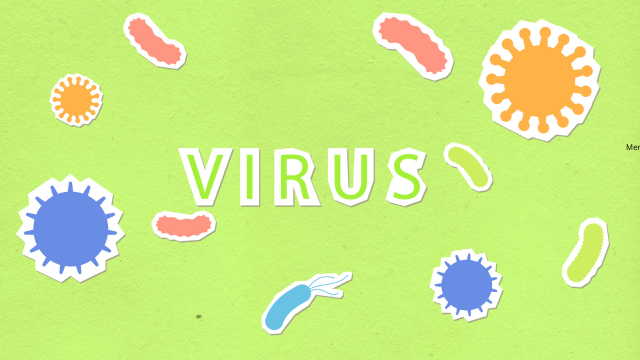
The malware most frequently encountered today is not always a true virus. Trojans, worms, spyware and ransomware are commonly called viruses because they infect or harm computers, but their behaviour differs.
Trojans
A trojan is malware that pretends to be legitimate or useful. It may appear to be a software update, document, free tool, mobile application or game.
The name comes from the story of the Trojan Horse: something apparently harmless conceals a threat. Once installed, the trojan may steal information, provide remote access or download further malware.
Unlike a virus or worm, a trojan does not normally spread by itself. It relies on deception, unsafe installation or another delivery method.
Emotet is a well-known malware example that began as a banking trojan and later became a wider delivery platform. It was commonly distributed through phishing emails and helped other malware reach affected systems.
Trojans are particularly common because criminals can disguise them as the software, document or service that a victim expects to see.
Worms
A worm is malware capable of spreading independently. It may move through networks, communication tools, removable media or vulnerable services.
Because it does not need to infect a host file, a worm can sometimes spread much faster than a traditional virus. One compromised device may search automatically for other reachable systems.
Conficker was a major worm that spread through a Windows vulnerability, network shares, removable drives and weak passwords. It demonstrated how one unpatched weakness could affect large numbers of computers.
WannaCry also had worm-like spreading capability, although its main purpose was ransomware. These examples show that malware categories can overlap.
Patching, network segmentation and restricted connectivity are especially important defences against worms.
Spyware
Spyware secretly observes activity or collects information. It may record browsing behaviour, capture login details, monitor communications or gather data from a device.
Some spyware is designed for financial crime, while more advanced versions may be used for targeted surveillance. Its value depends on remaining unnoticed, so a device may appear to work normally.
Users should install applications only from trusted sources, review permissions and keep devices updated. Unexpected account activity or unusual data use may justify investigation, but no single symptom proves that spyware is present.
A keylogger is a more specific form of monitoring malware that records keyboard input. It may capture passwords, messages and other sensitive information.
Ransomware
Ransomware prevents access to files or systems, usually by encrypting information, and then demands payment.
Modern ransomware campaigns may also steal data before encryption. Criminals can threaten to publish the information, creating both operational disruption and a data breach.
WannaCry is one of the most famous ransomware examples. It spread rapidly across vulnerable Windows systems in 2017 and disrupted organisations in many countries.
NotPetya looked like ransomware but was primarily destructive. Its design did not provide a realistic recovery path through payment, and it caused extensive disruption across international organisations.
Ransomware prevention requires more than antivirus software. Strong authentication, security updates, limited privileges, network segmentation, protected backups and an incident-response plan all matter.
Adware and Potentially Unwanted Applications
Adware displays unwanted advertising and may track browsing or alter browser settings. Not every advertising-supported application is malicious, but aggressive adware can reduce privacy, redirect searches and make a device harder to use.
Potentially unwanted applications may arrive alongside other software. They can install toolbars, change settings or introduce further advertising.
These programs are generally less destructive than ransomware, but they can weaken security and create opportunities for more serious threats.
Rootkits
A rootkit is designed to hide malicious activity or maintain privileged access to a computer.
It may conceal files, processes, accounts or system changes. Because rootkits focus on persistence and evasion, they can make an infected device difficult to trust even after visible symptoms disappear.
Severe rootkit infections may require the system to be rebuilt from a verified clean source rather than relying on ordinary file removal.
Common Historical Virus and Malware Examples
Cyber history contains several famous outbreaks that shaped modern security practices.
Brain, discovered in the 1980s, was an early boot-sector virus spread through floppy disks. Melissa, identified in 1999, was a macro virus that spread through Word documents and email contacts.
ILOVEYOU arrived in 2000 through an email message designed to attract attention. It is often called a virus, but it is more accurately described as a mass-mailing worm.
Conficker, discovered in 2008, was a worm rather than a virus. It spread across vulnerable Windows systems and became extremely persistent.
WannaCry and NotPetya, both appearing in 2017, showed how self-propagating malware could cause worldwide disruption. These were not traditional computer viruses, but they remain important malware examples.
The history reveals a clear change. Early viruses often travelled through disks and infected files. Later threats used email, network vulnerabilities, compromised accounts and connected suppliers. Modern malware is increasingly associated with cyber crime, espionage, data theft and extortion.
How Do Viruses and Malware Reach a Computer?
Malware usually needs a delivery route. Email attachments remain common because criminals can disguise files as invoices, applications, delivery notices or workplace documents.
Unsafe software downloads are another route. Modified installers, pirated applications and false update prompts may conceal trojans or other malicious code.
Compromised websites can redirect visitors or present harmful downloads. Outdated browsers and applications may also contain weaknesses that malicious content can exploit.
Removable drives and shared folders remain relevant, particularly in workplaces that move files between isolated or specialist systems.
Cloud collaboration can spread harmful documents quickly because users trust files shared through familiar business accounts. A compromised colleague’s account may distribute malware more convincingly than an unknown sender.
The best defence is not simply avoiding the internet. It is reducing the opportunity for untrusted code to arrive, activate and spread.
Signs That a Computer May Be Infected
Malware does not always create obvious symptoms. Some threats are designed to remain hidden for as long as possible.
Possible warning signs include unusually slow performance, repeated crashes, altered files, unexpected pop-ups and security software being disabled. A browser may redirect to unfamiliar pages, or new applications and shortcuts may appear.
Other signs can include messages sent without the user’s knowledge, unusual login alerts, unexplained data use and inaccessible files.
These symptoms do not prove that malware is present. Faulty hardware, full storage and ordinary software problems can create similar effects.
Users should report unexplained behaviour instead of downloading random cleaning tools. An organised scan or professional investigation is safer than deleting unfamiliar files without understanding their purpose.
How Antivirus Software Protects a Computer

Antivirus software detects, blocks, quarantines and removes malicious code. Modern products usually protect against many malware types, despite retaining the traditional “antivirus” name.
Signature detection compares files with known malicious patterns. It is effective against recognised threats but may miss completely new or heavily modified versions.
Behavioural detection watches what programs do. A tool may raise an alert when software changes large numbers of files, creates suspicious processes or tries to disable security controls.
Heuristic analysis and reputation systems provide further context. They help security software identify items that resemble malware even when there is no exact signature match.
When a threat is found, the product may block it before it runs or move it into quarantine. Quarantined files cannot operate normally while they are reviewed.
Antivirus software should remain enabled and updated. However, it cannot prevent every stolen password, malicious document or unknown vulnerability. It is one part of a wider security approach.
Is Built-In Antivirus Enough?
Modern operating systems often include built-in malware protection. For many home users, keeping that protection active and updated provides a useful foundation.
Installing several real-time antivirus products at once is not necessarily safer. They may conflict, reduce performance or interfere with one another.
Businesses usually require centrally managed endpoint protection. This allows the responsible team to apply policies, see alerts and investigate activity across many devices.
The important issue is not simply whether the product is free or paid. It must be trustworthy, properly configured, regularly updated and supported by other controls.
How to Protect Yourself from Common Computer Viruses
Keep the operating system, browser and applications updated. Security updates close known weaknesses that malware may exploit.
Download software from official websites or approved application stores. Avoid pirated programs, unknown converters and unexpected update prompts.
Treat attachments cautiously, even when they appear to come from someone familiar. A genuine account can be compromised and used to distribute harmful files.
Use a standard user account for ordinary work. Administrator access should be reserved for changes that require it.
Maintain reliable backups of important files. At least one copy should be separated from the device so that malware cannot easily damage every version.
A practical personal-security routine includes:
- Automatic updates
- Active antivirus protection
- Unique passwords and multi-factor authentication
- Trusted software sources
- Regular backups
- Prompt reporting of unusual behaviour
These habits make several stages of infection more difficult without requiring specialist knowledge.
Protecting a Business from Malware
Businesses need consistent controls across all devices and employees.
Updates and endpoint protection should be centrally managed so failed installations and serious alerts are visible. Employees should not have unrestricted software-installation rights unless their role requires them.
Email and web filtering can reduce delivery, while application controls can stop unauthorised programs from running. Network segmentation limits movement between user devices, servers and backups.
Training should use realistic examples from the organisation’s work. Staff need to know how to report an unusual attachment, unexpected login prompt or suspicious device behaviour.
Backups should be protected from ordinary accounts and tested through restoration. An incident plan should identify who can isolate devices, reset accounts, preserve evidence and restore systems.
What to Do If You Suspect a Virus
Stop using the affected device for routine work. If it belongs to an organisation, report the problem through the approved support or security process.
The device may need to be disconnected from networks to prevent spread, but follow the organisation’s procedure where important services or evidence may be affected.
Do not install several unknown “cleaner” programs or delete random system files. These actions can introduce more malware or make recovery harder.
Use the trusted security product already installed or obtain help from a qualified professional. A serious infection may require the device to be wiped and rebuilt from a known-good source.
Passwords used on the computer may need to be changed from a clean device. If account compromise is suspected, active sessions should also be revoked.
Before restoring files, confirm that the backup is clean. Reintroducing an infected document can restart the problem.
Common Myths About Computer Viruses
A slow computer does not automatically have a virus. Hardware age, limited storage, overheating and ordinary software faults can cause similar symptoms.
Macs, Linux systems and mobile devices are not completely immune to malware. Attackers may focus on different techniques, but every widely used platform needs updates and secure account practices.
A familiar sender does not make an attachment safe. Their account may have been compromised.
Antivirus software also does not make every download harmless. No product identifies every new or carefully disguised threat, so users still need safe habits and backups.
Finally, ransomware, worms and trojans should not all be called viruses. They are different malware types, and understanding the difference leads to more effective protection.
Frequently Asked Questions
What are common computer viruses?
Common true-virus categories include file-infecting, macro, boot-sector, resident, direct-action, multipartite, overwriting, polymorphic and metamorphic viruses.
Are trojans computer viruses?
No. Trojans are malware disguised as legitimate content or software. They do not normally replicate by infecting host files.
Is a worm a virus?
A worm is a separate form of malware. It can generally spread independently, while a traditional virus attaches itself to a host.
Is ransomware a computer virus?
Not necessarily. Ransomware is defined by blocking access and demanding payment. Some ransomware has worm-like spreading features, but it is not automatically a virus.
What is spyware?
Spyware is malware that secretly monitors activity or collects information, such as browsing data, messages or login details.
What are some famous virus examples?
Brain was a boot-sector virus, while Melissa was a macro virus. ILOVEYOU, Conficker and WannaCry are frequently called viruses but belong to other malware categories.
Can antivirus software detect every infection?
No. Antivirus can stop many threats, but new or heavily modified malware may be harder to detect. Updates, access control and safe behaviour remain necessary.
Can a virus spread through email?
Yes. Infected documents and files can arrive as email attachments. The malicious code usually activates when the attachment is opened or unsafe content is enabled.
Can a computer virus damage hardware?
Most viruses affect software, files and system operations rather than physically damaging hardware. Some malicious code can interfere with firmware or low-level functions, but physical damage is uncommon.
What is the best protection from malware?
Use layered protection: current software, active antivirus, trusted downloads, limited privileges, strong account security, protected backups and rapid reporting of suspicious activity.
Conclusion
Common computer viruses include file infectors, macro viruses, boot-sector viruses, resident viruses, direct-action viruses and forms designed to change their appearance.
These true viruses attach themselves to host files or system areas and reproduce when activated. However, many threats that people call viruses are actually different types of malware.
Trojans rely on deception, worms spread independently, spyware collects information and ransomware blocks access to files or systems. Each presents a different risk and requires a slightly different defensive approach.
Antivirus software remains an important part of computer security, but it cannot provide complete protection by itself. Updates, careful downloads, restricted permissions, secure accounts and reliable backups all reduce the likelihood and impact of infection.
The most useful lesson is not to memorise every malware name. It is to understand how untrusted code reaches a device, what it tries to do and which controls can stop it before one infected file becomes a wider personal or business incident.