

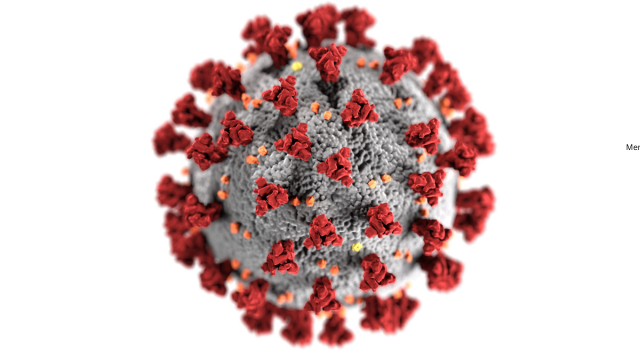
Computer viruses spread when infected files, programmes, devices or systems move from one place to another. In most cases, a virus needs some form of action to activate. This may be opening an infected email attachment, clicking a malicious link, downloading unsafe software, connecting an infected USB drive, using a shared network folder or running outdated software with known security weaknesses.
So, how can computer viruses be spread? They can be spread through email attachments and links, malicious downloads, removable media, network sharing and software vulnerabilities. These are some of the most common routes because they involve everyday digital behaviour. People open files, download tools, share documents, connect devices and use software every day. Attackers take advantage of those normal habits.
A computer virus is a type of malware that usually attaches itself to a host file, document, programme or system area. When the infected item runs, the virus may activate, copy itself and spread further. This is slightly different from some other forms of malware, such as worms, which can often spread more independently across networks. However, in everyday language, many people use the word “virus” to describe different kinds of harmful software.
Understanding how computer viruses are transmitted is important because prevention is often simple but needs consistency. A single unsafe click or infected file can affect a personal laptop, a work computer or even a wider business network. For organisations, including schools, training providers, charities and small businesses, virus infections can lead to downtime, lost files, data exposure and costly recovery work.
The good news is that most spreading routes can be reduced with practical cyber hygiene. Safe clicking, trusted downloads, regular updates, security software, controlled network access and careful use of removable devices all make a real difference.
How Do Computer Viruses Spread?
Computer viruses typically spread by using a carrier. This carrier may be an attachment, document, application, USB drive, shared folder or vulnerable system. How can computer viruses be spread?The virus hides inside or attaches to that carrier and waits for a chance to run.
Once activated, it may try to replicate. Replication means making copies of itself. Those copies may then infect other files, move across shared folders, attach to emails or spread through connected devices.
This is why the question “how do computer viruses spread?” is not only about technology. It is also about behaviour. Attackers often rely on people opening files, trusting fake messages, downloading unsafe software or delaying security updates.
A typical infection chain may look like this:
| Stage | What happens |
| Delivery | The virus reaches the user through an attachment, link, download, USB drive or shared file |
| Activation | The user opens, runs or enables the infected item |
| Replication | The virus copies itself to other files or areas |
| Spreading | Infected files or systems move the virus to other users or devices |
| Impact | The device may slow down, files may be damaged, data may be exposed or other malware may be installed |
Not every virus follows the same pattern. Some are designed to spread quickly. Others remain hidden and wait for the right moment. Some cause visible damage, while others work quietly in the background.
When people ask “how can computer viruses be transmitted?” or “how can computer viruses be transferred?”, the answer is that they are usually transferred through files, devices, networks and software weaknesses. The method may look harmless from the outside, but the hidden code inside the infected item creates the risk.
Email Attachments & Links
Email is one of the most common ways computer viruses and other malware spread. This is because email is used constantly for work, study, shopping, banking, job applications, invoices, customer support and general communication. Attackers know that people are used to opening attachments and clicking links, so they design messages that look normal, urgent or trustworthy.
A virus may arrive in an attachment that looks like a document, invoice, receipt, CV, delivery notice, booking confirmation or internal file. The file may appear to be a Word document, spreadsheet, PDF, compressed folder or executable file. Once the user opens the attachment, the malicious code may run.
Some email-based infections rely on macros. A document may say “enable content” or “enable macros” to view the file properly. If the user follows that instruction, the macro may run malicious commands. This is why unexpected macro-enabled documents should be treated with caution.
Links can also spread viruses indirectly. A link may take the user to a fake login page, a compromised website or a download page that installs malware. The message may not contain the virus itself. Instead, it pushes the user towards a place where the infection begins.
Common tricks include:
| Email trick | What it tries to make you do |
| Fake invoice | Open an attachment or click a payment link |
| Delivery message | Click a tracking link or download a file |
| Account warning | Enter login details on a fake page |
| Job or CV attachment | Open a document from an unknown sender |
| Manager impersonation | Act quickly without checking |
| Security alert | Click a link to “fix” a fake issue |
Phishing emails often create pressure. They may say that an account will close, a payment is overdue, a parcel is waiting or urgent action is required. The aim is to make the user act before thinking.
In workplaces, this can be especially dangerous. A staff member may receive a message that appears to come from a supplier, colleague, student, customer or senior manager. If the message is convincing, the user may open the attachment without questioning it.
Viruses can also spread further through email accounts. If malware gains access to an email account, it may send infected messages to contacts. Those contacts are more likely to trust the message because it appears to come from someone they know.
To reduce the risk, users should be careful with unexpected attachments and links. Check the sender, look at the email address, pause before opening files and avoid enabling macros unless there is a clear and trusted reason. In an organisation, suspicious emails should be reported through the proper internal process.
Security tools can help filter dangerous messages, but they cannot catch everything. Human judgement still matters. A useful rule is simple: if the email is unexpected, urgent or asking you to do something unusual, stop and verify it through another trusted route.
Malicious Downloads

Malicious downloads are another major way computer viruses spread. A malicious download is a file or programme that appears useful but contains harmful code. It may be disguised as free software, a cracked version of a paid tool, a game, a media file, a browser extension, a fake update or a document.
People often download files because they want something quickly. Attackers take advantage of this. They may create fake websites, misleading adverts or copied download pages that look similar to legitimate services. The user thinks they are installing a normal programme, but the file also contains malware.
This is one reason unsafe downloads are so risky. Unlike an obvious phishing email, a fake download may look professional. The website may have logos, reviews, buttons and instructions. The file name may also look harmless.
Common examples of risky downloads include:
| Download type | Risk |
| Cracked software | Often bundled with malware |
| Fake updates | May install malware instead of a real update |
| Unknown browser extensions | Can monitor activity or change browser settings |
| Free media converters | May include unwanted software or viruses |
| Pirated games or tools | May contain hidden malicious code |
| Unverified mobile apps | May request excessive permissions |
| Files from random forums | Source and safety are difficult to confirm |
A virus may spread when the user runs the downloaded file. It may then infect other files on the device or create conditions for more malware to enter. In some cases, the first download is only a downloader. Its job is to install additional harmful software later.
Malicious downloads can also spread through fake software updates. A pop-up may claim that a browser, media player or security tool is out of date. If the user clicks the pop-up and installs the file, they may be installing malware rather than an update.
The safest approach is to download software only from official websites, trusted app stores or approved workplace sources. Avoid cracked software, “free” versions of paid tools from unknown sites, and downloads pushed through pop-ups or suspicious adverts.
For businesses, staff should not install unapproved software on work devices. Even if the software seems useful, it may introduce security risks, licensing problems or data protection concerns. Organisations should have a clear process for approving and managing software.
Security software can scan downloads, but users should still be cautious. If a file comes from an unknown source, asks for unusual permissions or triggers a warning, do not ignore it.
Removable Media
Removable media includes USB drives, external hard drives, memory cards and other portable storage devices. These devices are useful for moving files, but they can also transfer viruses from one computer to another.
This is a direct answer to “how can computer viruses be transferred?” They can be transferred when an infected removable device is connected to a clean computer, or when clean files are copied from a compromised device onto removable media and then opened elsewhere.
Historically, removable media played a major role in spreading viruses. While cloud storage and email are now more common, USB-related infections still matter, especially in workplaces, schools, training centres and shared computer environments.
A virus may spread through removable media in several ways. It may hide inside a file stored on the drive. It may create shortcuts that trick users into opening infected content. It may exploit settings that automatically run files when a device is connected. It may also infect files copied onto the device.
For example, a user may copy documents from an infected personal laptop onto a USB drive. Later, they connect the same USB drive to a work computer. If an infected file is opened, the work computer may become infected too.
The risk is higher when people use unknown or shared USB drives. A drive found in a public place, borrowed from someone else or used across many computers should not be trusted automatically.
Common removable media risks include:
| Situation | Why it is risky |
| Unknown USB drive | It may contain hidden malware |
| Shared classroom or office drive | It may have passed through infected devices |
| Personal drive used at work | It may bypass normal security controls |
| Old external hard drive | It may contain infected legacy files |
| USB used for software installation | It may carry altered or unsafe installers |
Organisations can reduce the risk by controlling how removable media is used. Some may block USB storage completely. Others may allow it only for approved devices. Scanning removable media before opening files is also important.
Individuals should avoid connecting unknown USB drives. If a drive must be used, scan it first with trusted security software. Do not open strange files, shortcuts or programmes on the drive.
Removable media is also relevant for backups. Backups are important, but backup drives should be protected. If a backup drive is always connected to an infected computer, malware may affect the backup too. This is why important backups should be kept separate, protected and tested.
Network Sharing
Network sharing allows computers and users to access files, folders, printers or resources across a local network or business environment. It is useful, but it can also help computer viruses spread.
If one device on a network becomes infected, the virus may try to reach shared folders, mapped drives or other connected devices. This is especially risky when users have broad access permissions or when many people use the same shared folders.
For example, an employee opens an infected file on their computer. The virus activates and infects files in a shared project folder. Other employees then open those infected files, spreading the virus further.
Network sharing can make infections move faster because files are no longer limited to one device. A single shared location may be used by a whole team, department or organisation.
Common network sharing risks include:
| Risk | Example |
| Shared folders with broad access | Many users can open and modify infected files |
| Weak access controls | Users have more permissions than they need |
| Old network drives | Legacy systems may lack modern protection |
| Poor monitoring | Unusual file changes may not be noticed quickly |
| Infected workstations | One compromised device affects shared resources |
| Remote access weaknesses | Malware can spread through poorly secured access routes |
Good access control is essential. Users should only have the access they need for their role. This is known as the principle of least privilege. If an account is compromised, limited permissions reduce the damage.
Network segmentation can also help. This means separating systems so that an infection in one area cannot easily reach everything else. For example, guest Wi-Fi, staff systems, finance systems and learning platforms should not all have unnecessary access to each other.
Organisations should also monitor unusual file activity. If many files are being changed quickly, renamed or corrupted, it may be a sign of malware. Fast detection can prevent wider damage.
For smaller businesses and training providers, the basics still matter: use secure shared folders, avoid giving everyone full access, remove old accounts, protect administrator accounts, keep devices updated and back up important data.
Cloud sharing also needs care. Although cloud folders are not the same as traditional local network drives, they can still spread infected files if users upload and share unsafe content. Access permissions, version history and security monitoring should be reviewed regularly.
Software Vulnerabilities

Software vulnerabilities are weaknesses in programmes, operating systems, browsers, plugins, apps or devices. Attackers may exploit these weaknesses to run malicious code, install malware or gain unauthorised access.
When people ask “how do computer viruses typically spread?”, software vulnerabilities are an important part of the answer. Not every infection depends on a user opening a file. Sometimes, outdated or poorly secured software creates the opportunity.
A vulnerability may exist because of a coding error, insecure configuration, missing update or unsupported old system. Once attackers know about a weakness, they may try to target devices that have not been patched.
For example, a browser, office application or operating system may have a security flaw. If the user visits a compromised website or opens a specially crafted file, the flaw may allow malicious code to run. The user may not fully understand what happened because the technical weakness is hidden.
Common vulnerable areas include:
| Vulnerable area | Example risk |
| Operating systems | Old versions may miss security patches |
| Browsers | Unsafe pages may exploit known flaws |
| Office software | Malicious files may abuse old weaknesses |
| Plugins and extensions | Outdated tools may create entry points |
| Business applications | Unpatched systems may expose networks |
| Routers and connected devices | Weak firmware may be targeted |
| Unsupported software | No longer receives security updates |
Keeping systems updated is one of the strongest defences. Updates often include security patches that close known vulnerabilities. Delaying updates means the weakness remains available to attackers.
Unsupported software is especially risky. If a system is no longer receiving security updates, known weaknesses may remain permanently open. Businesses should plan to replace or isolate unsupported systems.
Vulnerabilities can also be made worse by poor configuration. For example, a system may be technically up to date but still unsafe because remote access is exposed, default passwords remain in use or unnecessary services are left enabled.
For organisations, vulnerability management should be part of routine cyber security. This includes knowing what systems are in use, applying updates, reviewing configurations, prioritising critical vulnerabilities and checking whether old systems are still needed.
For individuals, the practical steps are simpler: turn on automatic updates, update browsers and apps, remove software you no longer use, and avoid ignoring update notifications for long periods.
How Fast Do Computer Viruses Spread?
The speed of a virus depends on its design, the spreading route and the environment it enters. Some infections spread slowly because they rely on users opening infected files one by one. Others can spread very quickly across shared folders, email contacts or vulnerable networks.
In a personal setting, a virus may stay limited to one device if there are no shared folders or connected drives. In a workplace, the same infection may spread faster because users share files, access common systems and communicate through email.
Several factors affect speed:
| Factor | Effect on spreading speed |
| User behaviour | More clicks and file sharing create more opportunities |
| Network access | Shared folders can spread infection faster |
| Permissions | Broad access allows wider file infection |
| Vulnerabilities | Unpatched systems may be easier to compromise |
| Detection | Fast detection limits spread |
| Backups and isolation | Good recovery controls reduce impact |
| Email contact lists | Infected messages may reach many people quickly |
This is why early reporting matters. If a user opens a suspicious attachment and reports it immediately, the organisation may be able to reset passwords, isolate the device, block similar emails and scan affected systems. If the user waits several days, the infection may spread much further.
The question is not only “how fast do computer viruses spread?” but also “how quickly can we detect and contain them?” A well-prepared organisation can reduce the damage even if an infection starts.
How to Reduce the Risk of Virus Spread

Stopping viruses from spreading requires a layered approach. No single control is perfect. Security software, updates, staff awareness, access control and backups all work together.
Practical steps include:
| Protection step | How it helps |
| Use security software | Detects and blocks many known threats |
| Keep systems updated | Fixes known vulnerabilities |
| Be careful with attachments | Reduces email-based infections |
| Download from trusted sources | Avoids malicious installers |
| Control USB use | Reduces removable media risk |
| Limit network permissions | Restricts spread through shared folders |
| Back up important data | Helps recovery after infection |
| Train staff | Improves reporting and safer behaviour |
| Use multi-factor authentication | Helps protect accounts linked to malware incidents |
| Monitor unusual activity | Supports early detection |
For individuals, the most important habits are simple. Do not open unexpected attachments. Do not download software from unknown sites. Keep devices updated. Use security software. Avoid unknown USB drives. Back up important files.
For organisations, controls need to be more structured. Staff should know how to report suspicious emails and device problems. IT teams should manage updates, permissions, backups and security alerts. Managers should support a culture where people report mistakes quickly rather than hiding them.
Final Thoughts
Computer viruses can be spread through email attachments and links, malicious downloads, removable media, network sharing and software vulnerabilities. These routes work because they are linked to normal digital behaviour: opening files, clicking links, downloading tools, sharing documents, connecting devices and using software.
A virus usually needs a host and an opportunity to run. Once activated, it may replicate and spread to other files, devices or systems. Some infections spread slowly, while others can move quickly through email contacts, shared folders or vulnerable networks.
The best defence is practical prevention. Treat unexpected attachments with caution. Download software only from trusted sources. Avoid unknown USB drives. Limit unnecessary network access. Keep systems updated. Use trusted security software and report suspicious activity quickly.
For learners, employees and businesses, understanding how computer viruses are transmitted is an important part of cyber security awareness. Once you know how viruses spread, it becomes much easier to recognise risky behaviour and build safer habits online.